Zodiac Casino Login
Access your Zodiac Casino profile and resume gaming instantly.
Games at Zodiac Casino




All Games



Being locked out of Zodiac Casino is annoying, so let's start with solutions. You can log in using email and password, phone number and SMS code, or a social account. The following parts explain login failures, password recovery, account locks, verification delays, and contacting help.
How to Log In: Step-by-Step
Zodiac Casino provides the same three login options you used when registering. Choose the method you selected during account creation.
Visit the official Zodiac Casino website by typing the URL directly or clicking a bookmark.
Click the Login button.
Type your email and password, input your phone number and the SMS code, or pick your social account.
Allow the lobby to appear, then verify the account name matches yours.
Only log in at the official site. Avoid mirror sites and links from messages or social media, as they might steal your password. Never enter your details there.
Login Problems and Fixes
Zodiac Casino login requires a password and email confirmation. Common problems include wrong passwords, missing messages, or old browser sessions.
| Problem | Likely Cause | Quick Fix |
|---|---|---|
| Wrong password message | Typo, caps lock or an old saved password | Retype it slowly, then reset the password |
| Account locked | Account restriction or active self-exclusion | Contact support by live chat |
| KYC pending | Verification not finished | Complete the checks support asks for |
| VPN or proxy active | Connection masks your location | Switch it off and sign in again |
| SMS code not arriving | Wrong number or weak signal | Check the number, then request one new code |
| Page loops or freezes | Old cookies or cache | Clear cookies and cache for the site |
To clear your browser cookies:
- Access your browser settings and find the privacy or history section.
- Remove cookies and cached data for the Zodiac Casino site.
- Shut all browser windows and launch a new one.
- Log in again.
Zodiac Casino does not include authenticator-app two-factor login by default. The secondary step is email confirmation. If that email doesn't come:
- Check your spam and junk mail folders.
- Make sure your account email address is spelled correctly.
- Ask for a fresh message and wait a few minutes before requesting another.
- Get in touch with support if you still receive nothing.
How to Reset Your Password
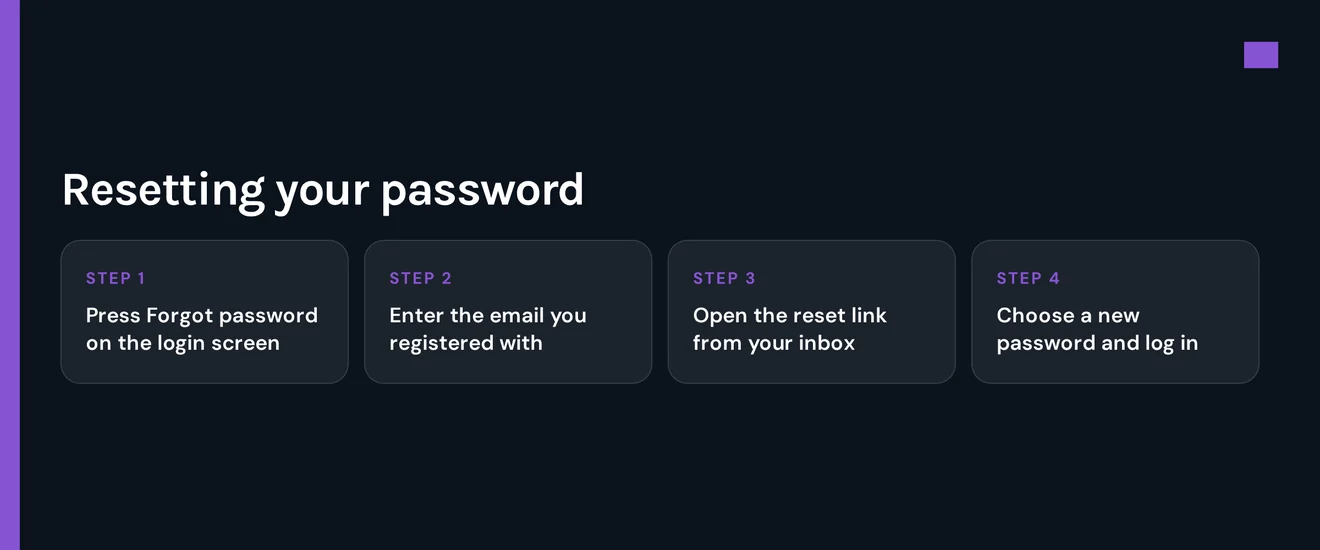
You can recover a lost password via your registered email, without calling support.
- Click the 'forgot password' link on the login page.
- Type the email linked to your Zodiac Casino account.
- Check your inbox and click the reset link in the email.
- Create a fresh password and log in with it.
If you can't access that email, get in touch with support to make the change. For a strong password:
- Make sure it has at least 12 characters.
- Combine uppercase and lowercase letters, digits, and symbols.
- Choose a unique password not used elsewhere.
- Don't include personal details like names or birthdays.
Account Locked or Suspended
Unlocking an account requires two steps: yours first, then support.
- Your step: stop trying passwords and disable any VPN or proxy.
- Your step: reset your password via your registered email.
- Your step: if login still fails, contact support via live chat or phone and provide your email.
- Support's step: they review the account and tell you how to reopen it.
Accounts can be restricted for these reasons:
- Using a VPN or proxy, which breaks the rules.
- Verification still pending
- An active self-exclusion on the account.
Self-exclusion applies to your whole account. You start it by contacting support or changing settings. You cannot log in while it's active. Support can answer questions. If gambling harms you, call Gambling Helpline Aotearoa at 0800 654 655 or visit gamblinghelpline.co.nz.
KYC Verification
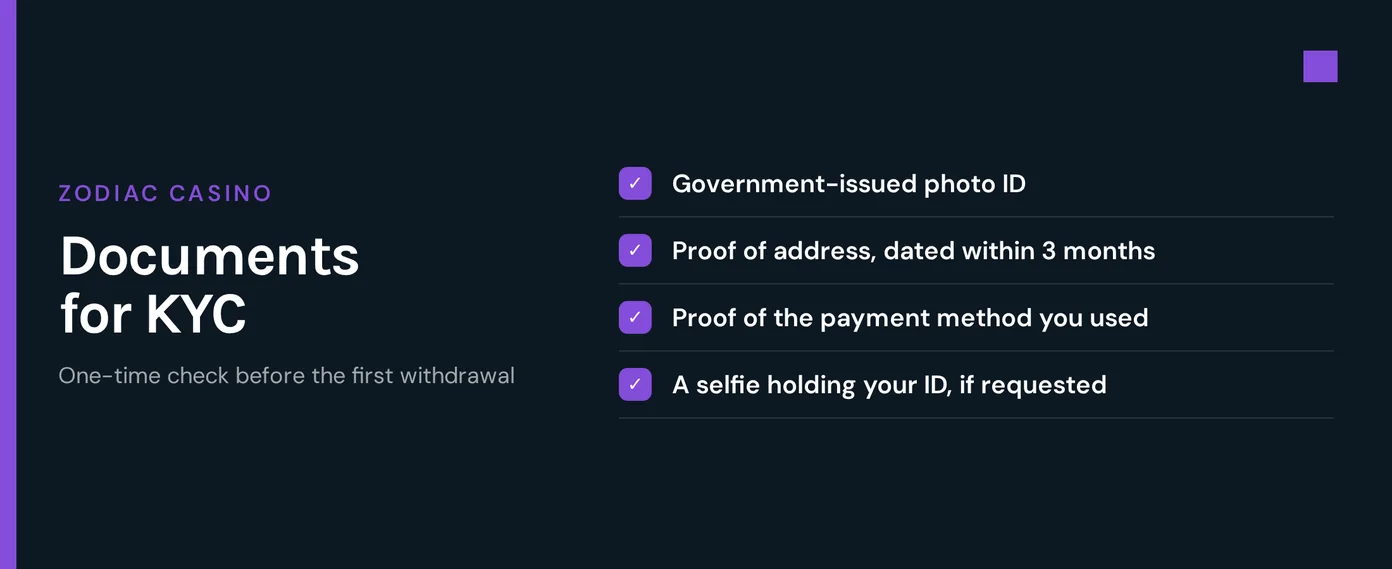
Zodiac Casino requires email confirmation, your declared age (18+), name, birth date, and address at sign-up. Accounts with unverified details may stay restricted until confirmed.
- Confirm the e-mail address you gave when signing up.
- Ensure your name, date of birth, and address match your official documents exactly.
- Send any documents support requests through the channel they specify.
- Support will review them. Once verification finishes, they lift the restriction.
VPN Policy
Using a VPN or proxy breaks Zodiac Casino terms. An active one can block your login or restrict your account. You can solve this immediately:
- Turn off your VPN or proxy.
- Close your browser completely, then reopen it.
- Sign in using your regular home or mobile internet connection.
- If you still cannot get in, contact support and mention you had a VPN running.
Logging In via Mobile App
Zodiac Casino works in your phone's browser. Add to Home Screen creates an app-like icon. You can also get it from Google Play.
- Visit the official website on your phone's browser.
- Find the browser menu and choose Add to Home Screen.
- Tap the new icon, select Login, and type in your usual username and password.
| Feature | Status |
|---|---|
| Home Screen icon (PWA) | Yes |
| Google Play | Yes |
| Biometric login | No |
| Push notifications | No |
Without biometric login, you enter your credentials manually each time. Without push notifications, account messages come only by e-mail.
Contact Support
Zodiac Casino support is available 24/7 in English, German, and French. Before contacting them, have your registered e-mail and the full error message ready.
| Channel | Details |
|---|---|
| Live chat | 24/7 |
| 24/7 | |
| Telephone | +1 888-408-1689, 24/7 |
If a Zodiac Casino login issue persists after a password reset, contact support. Only they can check your account's current status.
FAQ
Zodiac Casino is for players aged 18 and above. Please gamble responsibly. Set affordable limits and stop playing if gambling ceases to be enjoyable.